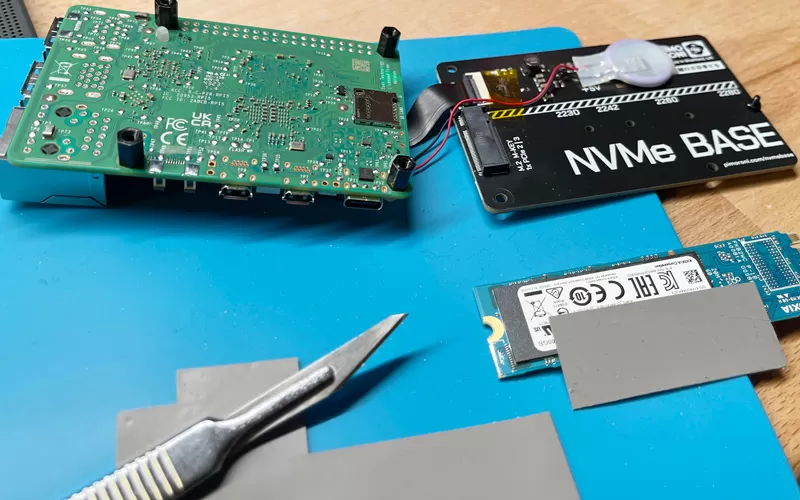
Not every M.2 NVMe SSD needs an additional thermal pad. A thermal pad is useful when it creates proper contact between the SSD and a heatsink, motherboard M.2 shield, or another cooling surface.
For a high-performance NVMe SSD running sustained workloads, heat from the controller can build up quickly. If the drive reaches its thermal limit, it may reduce performance through thermal throttling.
An M.2 SSD thermal pad helps by filling the small gap between the SSD components and the cooling surface, giving heat a more effective path out of the drive.
The important point is that the thermal pad and heatsink work together. A thermal pad by itself is not a replacement for a heatsink.
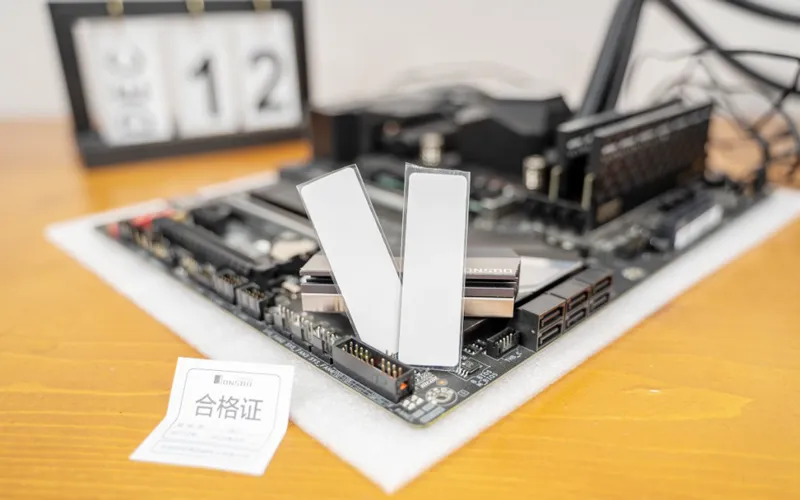
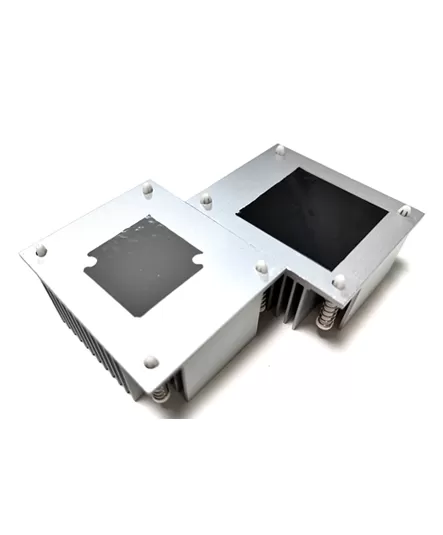
An NVMe thermal pad is particularly useful when your motherboard or SSD cooler already has a heatsink or M.2 shield designed to contact the drive.
You are more likely to benefit from one when the SSD is used for sustained workloads such as large file transfers, video editing, workstation tasks, or other applications that keep the drive active for long periods.
Cooling can also become more important when the M.2 slot is close to a high-power GPU or installed in a compact system with limited airflow.
In these situations, the thermal interface pad bridges the physical gap between the SSD and the cooling surface so heat can move into a larger area where it can be dissipated more effectively.
More thermal material does not automatically mean better cooling.
If your motherboard's M.2 heatsink already includes the correct thermal pad, use the supplied thermal interface as intended. Adding another pad on top can create excessive thickness and prevent the heatsink from sitting correctly.
Likewise, an SSD with an integrated heatsink normally should not have another thermal pad and heatsink stacked over it unless the manufacturer specifically designs the product for that arrangement.
Some NVMe SSDs can also operate normally without an additional heatsink under lighter workloads and good airflow.
The decision should therefore be based on the SSD, workload and cooling design rather than assuming every M.2 drive needs an extra pad.
An NVMe thermal pad improves cooling by creating better thermal contact between the SSD and its heatsink or motherboard M.2 shield.
The controller and other heat-generating components on an M.2 SSD are not always in direct contact with the cooling surface. Small height differences and surface irregularities can leave air gaps between them, and air is a poor conductor of heat.
A soft thermal pad fills these gaps and conforms to the surfaces on both sides. This allows heat from the SSD controller and other components to pass more efficiently into the heatsink or metal shield.
The heatsink then spreads that heat over a larger area, where it can be carried away by airflow inside the system.
This is why the thermal pad should be viewed as part of the cooling system rather than as a cooling device by itself. Its main job is to improve the thermal connection between the SSD and the surface that actually dissipates the heat.
The effectiveness of this connection depends on proper contact. If the pad is too thin, it may not touch both surfaces. If it is too thick or too hard, the heatsink may not sit correctly. The pad therefore needs to match the actual gap and mounting structure of the M.2 cooling assembly.
For most M.2 cooling arrangements, this is not an either-or choice.
The thermal pad connects the SSD to the heatsink, while the heatsink provides the larger surface area needed to dissipate heat.
| Component | Main Function |
| M.2 thermal pad | Bridges the gap and transfers heat from the SSD |
| M.2 heatsink/motherboard shield | Spreads and dissipates the transferred heat |
| System airflow | Carries heat away from the heatsink |
If a motherboard provides an M.2 shield with a pre-installed pad, that combination is normally intended to work as one thermal system.
Only if the cooler and SSD configuration are designed for it.
Some M.2 SSDs are single-sided, while others have components on both sides. Cooling assemblies designed for double-sided SSDs may use thermal pads above and below the PCB.
That does not mean every SSD should automatically receive a bottom thermal pad.
Adding an unnecessarily thick pad underneath the drive can place mechanical stress on the PCB or change the way the upper heatsink contacts the SSD.
Follow the cooling assembly design rather than adding pads simply because there is space available.
Start with the thermal pad supplied with the motherboard or M.2 heatsink whenever one is provided. It was selected to match the intended physical gap and mounting structure.
For replacement or OEM applications, thickness, compressibility, hardness and thermal performance all need to match the actual assembly.
Do not select an SSD thermal pad by W/m·K alone. Even a high-conductivity material will perform poorly if it is too thin to make contact or too thick for the heatsink to sit correctly.
For detailed thickness selection, see our guide to M.2 NVMe SSD thermal pad thickness.
For the physical fitting process, see how to install a thermal pad on an M.2 SSD.
Check the SSD temperature during the workload that actually matters to you rather than relying only on idle temperature.
Most modern NVMe SSDs provide temperature data through SMART monitoring, and many manufacturers provide their own SSD management software.
Watch what happens during sustained file transfers or other intensive workloads.
If temperature rises but performance remains stable within the manufacturer's operating specification, the cooling system may already be adequate.
If the drive repeatedly reaches its thermal limit and transfer speeds fall as it heats up, first check system airflow and the heatsink installation. If the SSD and heatsink are not making proper contact, the thermal pad should also be checked.
Not every M.2 NVMe SSD needs an additional thermal pad. A thermal pad is most useful when it creates proper contact between the SSD and a heatsink, motherboard M.2 shield, or other cooling surface.
If your SSD already runs within its normal temperature range and maintains stable performance under load, additional cooling may not be necessary. If temperatures remain high during sustained workloads or the drive begins to throttle, check the heatsink, airflow, and thermal pad contact.
For the best result, choose the thermal pad according to the actual gap and cooling structure rather than simply adding a thicker pad or selecting the highest thermal conductivity.
If you would like to learn more about AOK performance thermal materials, please visit our website at www.aok-technologies.com.

 +86 755 2976 5899

 English